
HTMLPad 2014 HTML Editor
 This HTML editor is hands down the best I've ever tried and I've tried a hundred of them.
It has the best code editing features of any editor I've tried, free or commercial.
I can set up the editor window just the way I want.
Big open working space with no line numbers. (Just turned them off )
Nothing makes code harder to read than a bunch of numbers down the side.
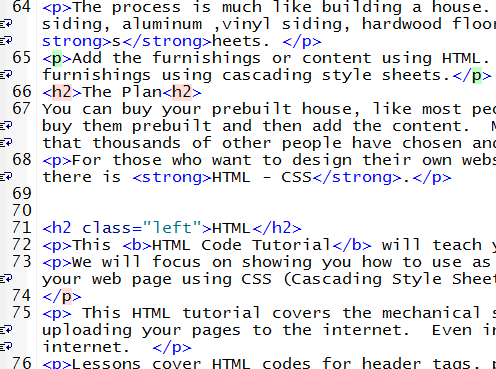
And I could display the code in the editor window in a size that fits my tired old eyes.
The code editing features are superb.
It's really hard to make an error as you type and not see it in this editor.
Leave off a slash on a closing tag and it tells you.
Too many paragraph closing tags and it tells you.
Miss a space in a tag where it needs one and it tells you.
You know those free editors where the FTP function doesn't work.
This one is fairly dependable. I can finish 10 pages or 50 pages and click a button and upload all the changes go to my website.
One of the features that sold me at first was its powerful search and replace function for changing multiple pages with one click.
A lot of editors have this, but they're so slow , you can go and eat supper if you're changing a lot of web pages in one session.
I've changed 500 pages with one click and didn't have time to get my cigarette lit before it was finished. It's sizzling fast. And it's accurate. See My Complaints below!
My website, just one of them was 1200 pages. I do a lot of redesigns and manipulate a lot of ads. Could you imagine changing an ad on 1200 pages manually going through every page.
I've used free editors and editors that I built myself for years. I didn't realize what a mess my website was in until I started using this editor.
I found and fixed more errors using this tool than 'Jake has Beans'.
One click access to Tidy and the W3c Validator means you never upload another web page that contains errors.
You can even turn on highlighting features that will notify you when you typed an error.
Are you a bad speller? Turn on Spell Checking.
HTMLPad has everything that people look for. Color picker, spell checker, code validation, ftp functionality, code libraries in HTML XHTML, PHP, CSS and more.
Note: About the code libraries. With a lot of editors you're stuck with what's in the library. With HTMLPad 2014, you can not only edit their code snippets, but you can add your own.
This editor is everything a serious webmaster needs and better than that it's easy to learn, so it's perfect for beginners.
Can You Test Forms on your PC with your HTML Editor?
HTMLPad 2014 has a feature called Preview Mapping. Instantly set it up with a localhost server and you can build and test HTML forms, Perl and PHP scripts right on your PC. You can even build MySQL databases on your PC and upload them to your website, after you work out the bugs.
You can't do that with any of Adobe's or Microsoft's overpriced junk. You can't do it with any of the free site builders we promote. You can't do it with Coffee Cup and you can't do it with Eversoft's FirstPage.
You can only do it with HTMLPad 2014.
Why would you want to do that? Let's just say, you'll find out down the road when you try your hand at building your own forms like guest books, polls and contact forms.
If you are going to buy an HTML editor, Buy the RIGHT ONE!!
HTMLPad 2014 has retired my old outdated software, even my FTP client, for uploading changes and new files.
I highly recommend it for beginners and experienced webmasters.
My Complaints
My complaint of an unrelaible Find in files function was fixed in HTMLPad 2014. As far as I'm concerned this is a perfect editor for this amount of money!!
Actual price is $35.85 after the Free Trial.
Get Your Free Trial Today
Download a Free Trial of HTMLPad 2014 Now!
You can try it free for 30 days or 30 sessions. Get the IndigoAMPP web server and try your hand at building and testing forms right on your PC. The server's free and the HTML editor trial is fully functional. If you aren't as impressed as I was, don't buy it!!